Emo Wallpapers
Publisher Description


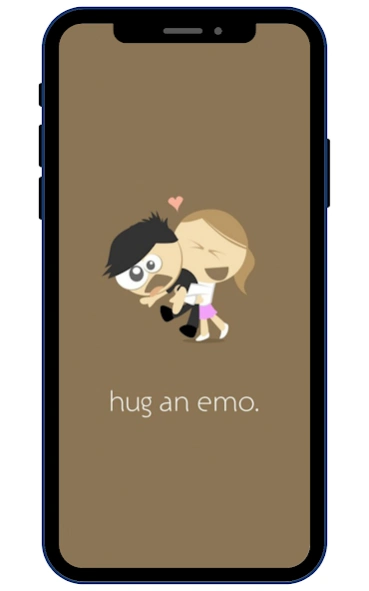

You will like 4k, HD ideas of Emo wallpapers.
"Emo is a subculture that emerged in the 1980s and 1990s as a subgenre of punk rock. Emotional, confessional lyrics and a melodic, often-introspective sound characterize emo music. Emo fashion often features dark clothing, asymmetrical haircuts, and tattoos or piercings. The emo subculture is also associated with a particular ethos that emphasizes emotional expression and individualism. Emo fans often feel a strong connection to music and fashion, and the subculture has been described as a form of escapism for its members. Find free HD emo wallpapers for your mobile.
In recent years, the term ""emo"" has also been used to describe a particular style or mood, particularly about the emotional and reflective qualities of certain forms of popular music, fashion, and internet culture. However, the term is sometimes used in a derogatory or mocking way and has been criticized for being associated with negative stereotypes and being too broadly defined. Download the best HD emo wallpapers for free.
Emo wallpapers are digital images that feature elements of the emo subculture, such as dark clothing, asymmetrical haircuts, tattoos or piercings, and emotional, introspective themes. They can be used as backgrounds on a computer or mobile device and come in various styles and resolutions. Some popular themes for emo wallpapers include close-up shots of emo fashion, emo-themed art or graphics, and images of emo music performers. These are the emo wallpaper apps for Android."
About Emo Wallpapers
The company that develops Emo Wallpapers is HD Curret Wallpapers Store. The latest version released by its developer is 1.0 .
To install Emo Wallpapers on your Android device, just click the green Continue To App button above to start the installation process. The app is listed on our website since 2026-09-01 and was downloaded 0 times. We have already checked if the download link is safe, however for your own protection we recommend that you scan the downloaded app with your antivirus. Your antivirus may detect the Emo Wallpapers as malware as malware if the download link to hdcurrentstore.emo.wallpapers is broken.
How to install Emo Wallpapers on your Android device:
- Click on the Continue To App button on our website. This will redirect you to Google Play.
- Once the Emo Wallpapers is shown in the Google Play listing of your Android device, you can start its download and installation. Tap on the Install button located below the search bar and to the right of the app icon.
- A pop-up window with the permissions required by Emo Wallpapers will be shown. Click on Accept to continue the process.
- Emo Wallpapers will be downloaded onto your device, displaying a progress. Once the download completes, the installation will start and you'll get a notification after the installation is finished.
